
Attention!
The Microphone object must be enabled (see the section titled The Microphone Object).
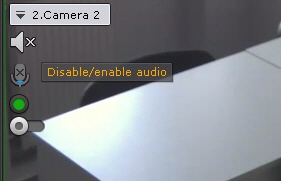
To listen on the Client to sound from the microphone of a camera, left-click to activate the speaker icon in the viewing tile.
Note
Audio from only one camera can be played back at a time
The speaker icon now becomes active and a volume slider appears.

Volume is controlled using the volume adjuster.
The far left position of the adjuster represents the minimum volume, and the far right position represents the maximum volume.
Note
The C-Werk VMS has an embedded sound booster.
To turn off audio playback, click the speaker icon again.